Small-format mono work, kept in one place
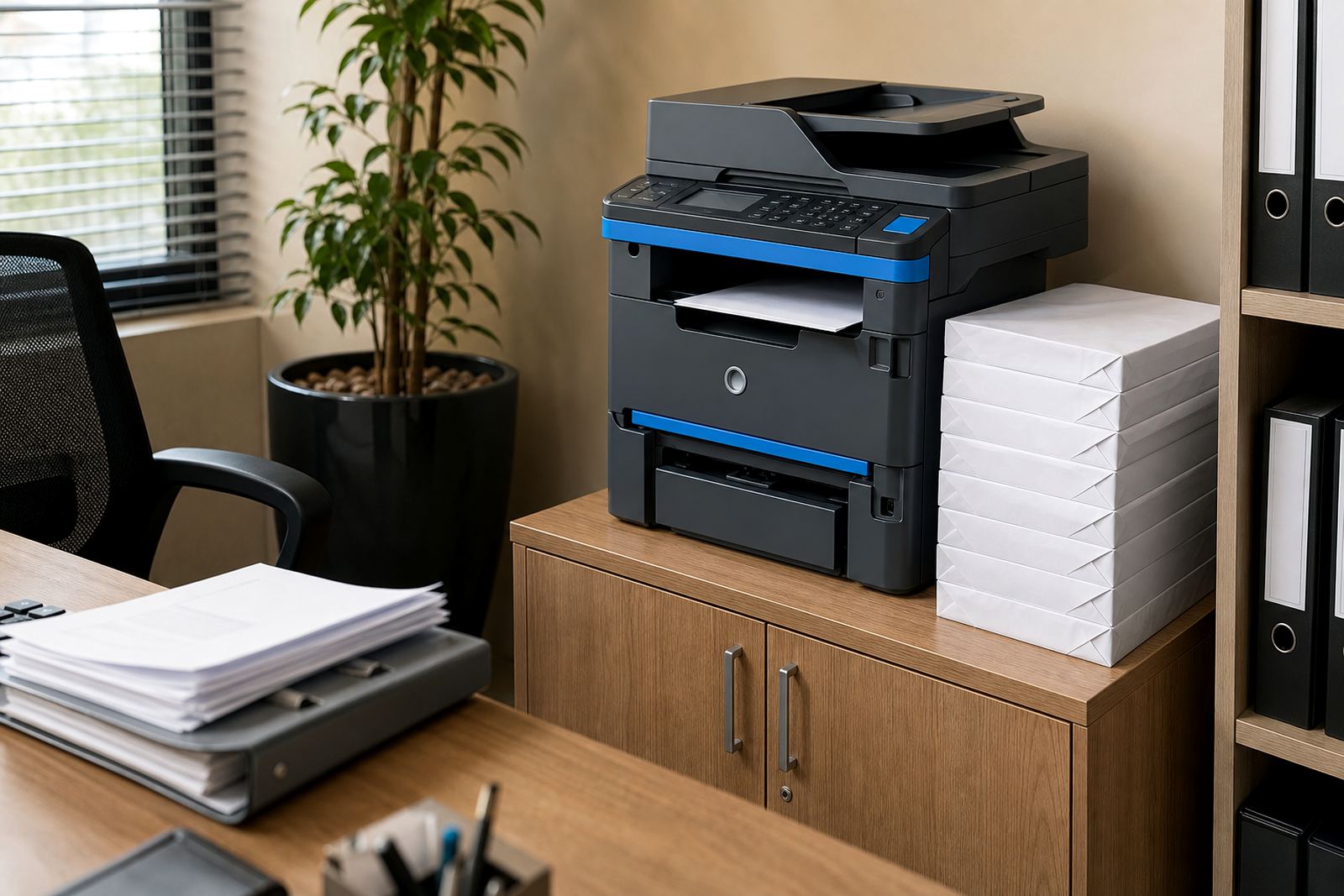
This rental option is built around an A4 multifunction machine for offices that need everyday black and white output without tying up capital in a purchase. It handles printing, copying and scanning from a single unit, which keeps the print area tidy and easier to manage in smaller offices, consulting rooms and admin teams.
The A4 Mono Starter is usually chosen where page volumes are steady but modest, and where most documents are letters, statements, forms, internal reports or black and white packs. It fits neatly into offices that want predictable monthly rental with click charges for usage, rather than taking on a full owned fleet and all the spare parts and consumables that go with it.
- A4 mono multifunction rental for print, copy and scan jobs
- Best suited to black and white office documents
- Compact footprint for reception areas, small offices and shared admin spaces
- Managed print plan with toner included and metre-based billing
Sized for A4 paperwork and modest monthly volumes
The machine is specified for A4 documents, which is the normal fit for most internal business paperwork, forms and correspondence. It is a practical choice where A3 output is not required, and where the office would rather keep the machine compact than pay for larger hardware that spends most of its time underused.
Typical options on this class of unit include single-sided and duplex printing, network printing, scanning to message and secure print release. Depending on the model selected for your office, the machine may also support a document feeder for multipage scans and copies, which is useful where staff work through invoices, signed forms and client files.
- A4 print size, with copy and scan functions on the same device
- Duplex printing available on suitable units
- Automatic document feeder for faster scan and copy work
- Scan-to-message and secure print can be set up during installation
Where this plan usually fits best
This starter rental is often the right match for schools, practices, small legal teams, estate offices, accountants and branch sites that mainly work in black and white. It also suits companies with a central admin room where a few users print through the day and need the machine to stay available without a full-time internal technician looking after it.
Johannesburg, Pretoria, Midrand, Sandton and Centurion offices often use this type of plan for front office paperwork and back office records. It is also common in Durban, Cape Town and Bloemfontein where the office wants a dependable mono device for repeated forms and correspondence, with servicing handled through a managed agreement rather than ad hoc callouts.
- Good for lower print volumes and routine office documents
- Works well for branches with shared admin printing
- Suitable where colour is not needed for daily work
- Useful for teams that want billing linked to actual metre readings
What the rental and click structure covers
The managed print plan combines the machine rental with metre-based billing for the pages produced. Toner supply is included under the agreement, which keeps the office from having to source cartridges or guess when stock is running low. Metre readings are used to keep usage records clear, especially where different branches or departments need separate tracking.
On-site servicing is part of the working arrangement, so breakdowns, worn parts and print quality issues can be handled on location where the job allows. That matters in active offices where staff cannot wait around with a machine that feeds badly, prints faintly or needs regular attention from an internal admin team.
- Monthly rental plus click charges based on actual use
- Toner supply included in the managed arrangement
- Metre reading support for accurate billing
- On-site servicing for faults, maintenance and print quality checks
Installation, network setup and user handover
Fitting a mono A4 machine usually involves placing it near a power point, connecting it to the office network where required and confirming the print settings for the users who need access. If the machine is being used for scan-to-message, the address book and scan destinations are set up as part of the installation so staff can move documents into message folders without extra steps.
Secure print is often set for offices that handle client records, accounts work or confidential documents. That setup allows a user to send a job to the device and release it at the machine when ready. When the printer is moved between offices or replaced at the end of term, a user handover helps staff understand the basic functions before the old unit leaves the site.
- Device installation and network setup for office use
- Scan-to-message setup for document sharing
- Secure print setup for confidential output
- Machine relocations and end term swaps available under the plan
Care points that keep mono print clean
Black and white devices stay in better shape when the paper path is kept clean, the trays are loaded properly and the machine is not pushed past the monthly volume it was set up for. In coastal cities such as Durban and Cape Town, office paper and toner stock should be kept dry and away from open windows or damp storerooms, because humidity can cause paper curl and feed issues.
Most problems on this type of machine start with paper handling, skipped cleaning or poor user habits around trays and covers. A managed plan helps because the same team can look after servicing, consumables, usage records and maintenance notes instead of leaving those tasks scattered across different people in the office.
- Keep paper in sealed reams and dry storage
- Use the recommended paper weight for steady feeding
- Clear minor paper dust from trays and access points
- Match the machine to the office's actual monthly volume
Details to pin down before the rental starts
Before an A4 Mono Starter is set in place, it helps to confirm the office print volume, the number of users, whether scanning to message is needed and whether secure print must be active from the start. It also helps to confirm the site address, floor access, network points and whether the machine will sit in one office or move between departments.
The final setup also depends on whether you need simple copy and print use or a more controlled print environment with user codes and separate usage tracking. If the office expects the machine to handle regular handovers, relocations or branch moves across Halfway House, Johannesburg, Pretoria and the other service areas, that should be built into the rental plan from the start.
- Monthly mono volume and number of users
- A4 only, or any need for larger paper sizes later
- Need for scan-to-message and secure print
- Site access, network point placement and relocation needs
Key facts
| Product type | A4 mono multifunction rental |
|---|---|
| Functions | Print, copy, scan |
| Print colour | Black and white |
| Paper size | A4 |
| Billing method | Monthly rental plus click charges |
| Included support | Toner supply, metre reading support and on-site servicing |